A home for your network
Organize advertisers and publishers, review their offers, and keep partner activity accessible from the same workspace.
 DCBNest
DCBNEST TRACKER · AFFILIATE TRACKING SAAS
Bring advertisers, publishers, offers, and conversion reporting into one workspace—with API and server-to-server workflows built around your operation.
For teams connecting affiliate campaigns, mobile services, and performance reporting.
THE PLATFORM
Keep the partners, configuration, and reporting behind each campaign connected.
Organize advertisers and publishers, review their offers, and keep partner activity accessible from the same workspace.
Manage offers and their tracking flows, with dedicated setup for API configurations and publisher landing pages.
Configure request payloads, success rules, and server-to-server conversion flows around your integration requirements.
Work with shared routing for S2S offers through Smartlinks and API offers through SmartAPI.
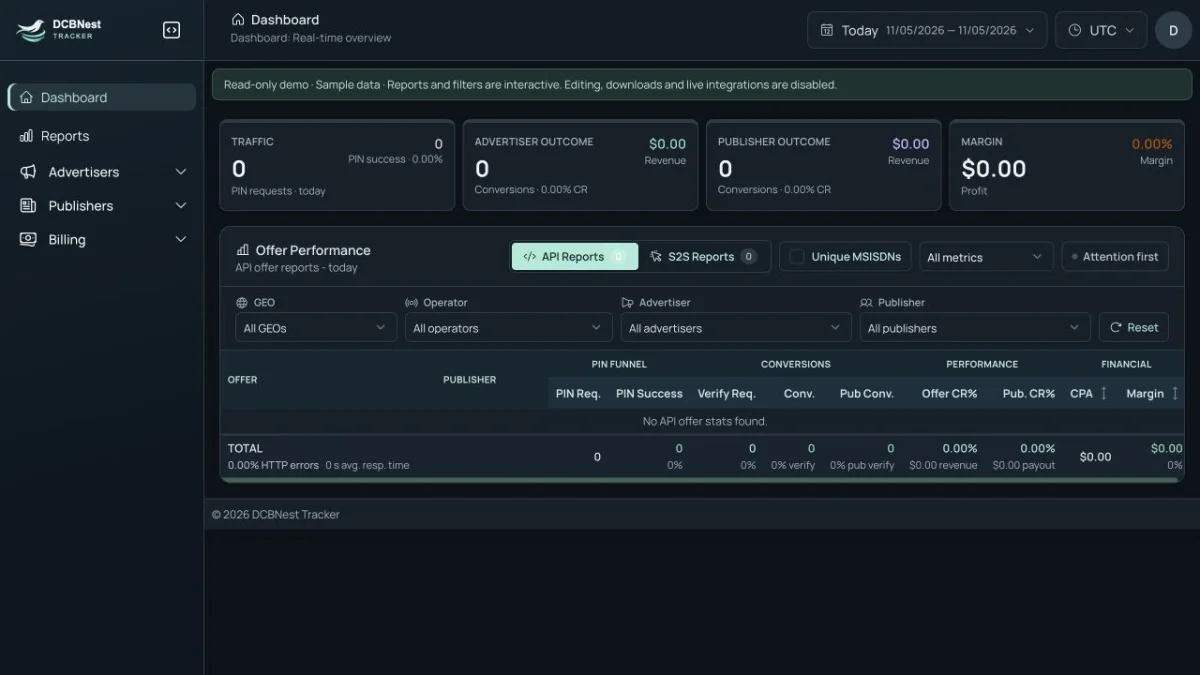
Review dashboards and reports with date filters and campaign breakdowns to understand acquisition and conversion activity.
Configure page content, branding, and layout, then preview the subscriber journey in mobile and desktop views.
EXPLORE BEFORE WE TALK
Both demo modes use sample data. Your production campaigns and integrations stay separate.
Demo access does not connect live providers, send real postbacks, or activate production billing.
FROM DEMO TO YOUR OPERATION
Discuss the platform, integration scope, and deployment needs before agreeing the next steps.
Share your partner structure, campaign types, and the reporting you need.
Walk through the relevant screens and identify integration or customization requirements.
Agree scope, deployment, testing, and support arrangements for your operation.
COMMON QUESTIONS
Yes. Tracker is a SaaS platform for business operations. DCBNest’s consumer products, apps, and games are listed separately on the homepage.
No. The demos are isolated environments using sample data. Discuss a production deployment for live partner integrations and campaign tracking.
Interactive workspaces are temporary. The demo displays your session status and expiry. You can resume an active session in the same browser before it expires; ending the session closes that workspace.
Contact DCBNest to discuss your requirements. Scope, pricing, deployment, and support arrangements are agreed after reviewing your needs.
LET’S TALK THROUGH YOUR USE CASE
Share your campaign types, partner integrations, and reporting needs. We can start with a walkthrough.